BHS Branch Boombox Set-Up Instructions
System Description:
The system is a two-speaker stereo system with multiple input options. The system
can be powered by a mains cable or by using built-in Li battery which when fully
charged should provide up to 8 hours playing.
The system when collected comprises the “Boomblaster”, a power cable and a
remote control.
Set-Up Details
Power On:
The system can be switch on by either pressing the power button on the fron of the
player or the power button on the remote control. Once on, the digital display on the
front of the player will show a Time, Battery level, and Input selected (CD, USB,
DAB, FM or Bluetooth).
Playing CD’s:
1. To select CD input use either the “Source” button on the remote control or the
“Source button” on the front of the player.
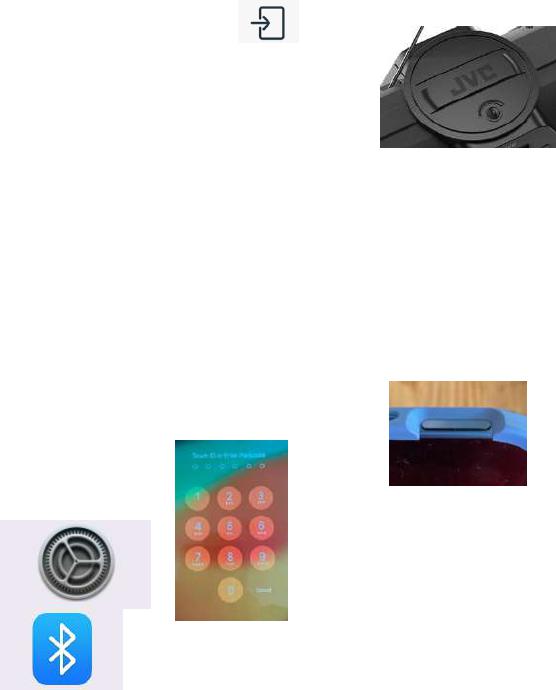
2. Open the CD player by turning the catch on top of the
player anti-clockwise and insert CD.
3. Use the CD controls on front of player or on remote control.
iPAD:
1. Select “Bluetooth” using either the “Source” button on the remote control or
the “Source button” on the front of the player.
2. Press the “Power” button on the iPad and swipe up to unlock.
3. Enter Code “123723” to open.
4. Open “Settings”
5. Select “Bluetooth”
6. “Boomblaster” should be shown in My Devices, select to
connect.
7. Exit Settings and Open Apple Music.

8. If you have provided a Programme ahead of time then a dedicated “Playlist”
should already be set up for your programme (shown at bottom of lefthand
sidebar menu). If not, then you should select “Songs” from the Menu and type
in the Dance Music you want into the Search Field. N.B. You will need to
keep iPad in “Landscape” orientation for the sidebar menu to be
permanently displayed.
9. Selecting the song will automatically start the song.
10. Control of the music can be done using the displayed controls at the bottom of
the screen.
a. Play
b. Pause
c. Jump to Start
d. Jump to End
Other Bluetooth Devices (tablets or phones) can be connected to the player. Use
the appropriate source device setting and applications to play music.