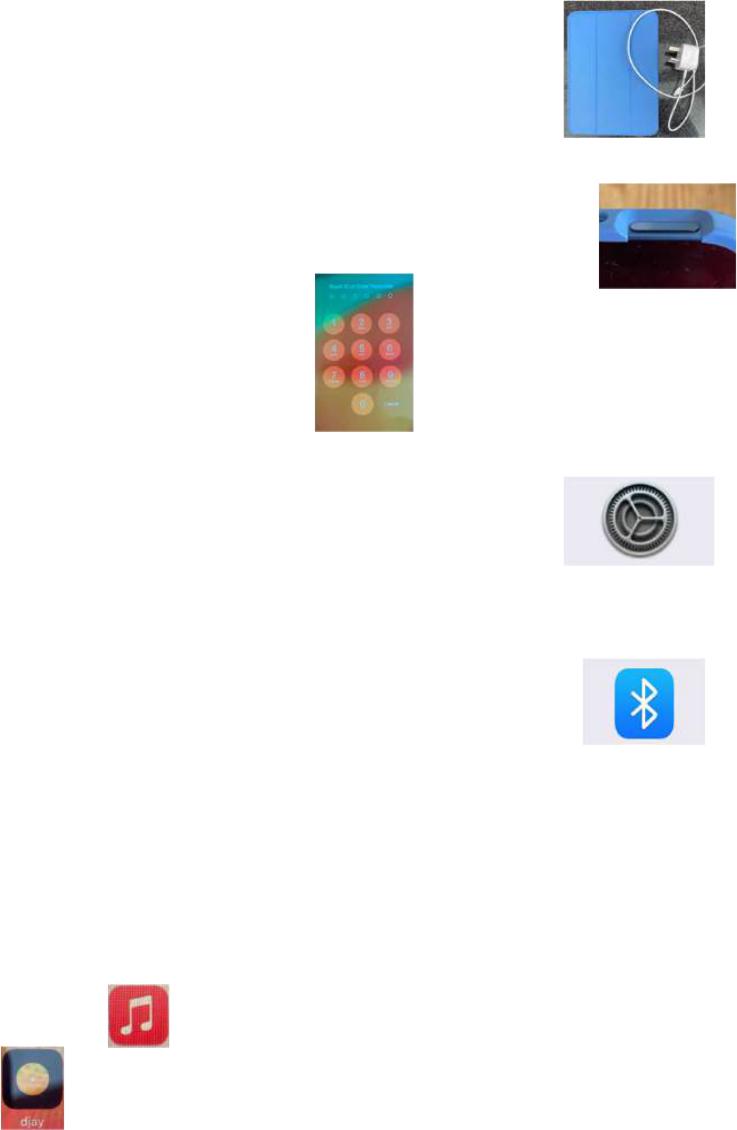
Branch iPad Instructions
The iPad is a tablet device with its own charger. It is configured to a
the Branch Music account which contains a digital copy of all the
music that the branch owns.
Opening iPad
1. Open the cover at the top right corner by the power button.
2. Press the “Power” button on the iPad and swipe up to unlock.
3. Enter Code “123723” to open.
4. Select and Open “Settings” at the menu bar at bottom of
“Home” page.
5. To connect to Bluetooth device, click on Bluetooth icon and select the device
from the list provided.
a. Kali MVBT (StagePas)
b. Xxxx PAV8
c. Yyyy JVC
6. Exit setting by swiping up from the thin black bar at the bottom of page.
Accessing Music on iPad
There are two dierent “Music Players” on the iPad, both shown on the “Home Screen of
the iPad.
Apple Music Player
djay
Playing Music with “Apple Music”
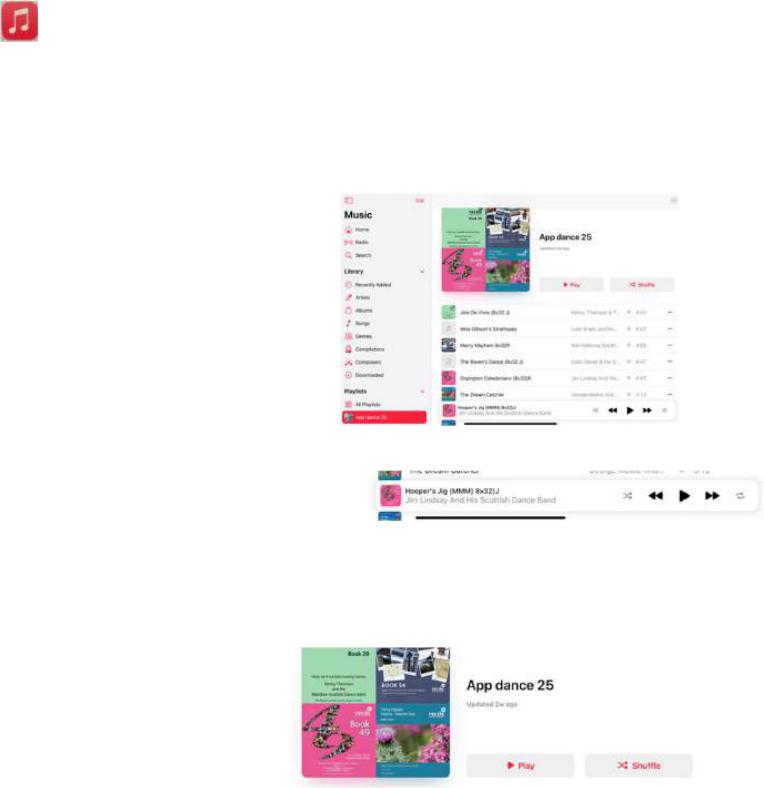
When you press the button, the music player will open and you should be taken
a split menu screen with categories down the left-hand side of the screen and content
of the selected category on the right-hand side (note: hold the iPad in “Landscape”
position). This is a fairly simple application with simple controls, it does not however,
provide any scope for adjusting the speed of the track.
If a playlist has already been created for you, then
select “Playlists” from the left hand side list (you may
need to scroll up or down). Select your playlist and it
will be displayed on the right-hand side of the screen.
The music tracks will be displayed in the order that
you provided and should match the running order of
your event. To play any individual track you merely
have to select the track and it will automatically play.
Once the track starts to play, a track control bar will
appear with the track title. The controls are
“pause/play” or “restart/next track”
To exit the player, swipe up with your finger from the thin black bar at the bottom of the
screen.
Note that in the photo of the full page shown to
the right, there is a play button. If this button is
selected it will play the “playlist” starting with
the 1
st
track and then automatically work
through the list one track after the other. I do not recommend this option.
Play Music with “djay”
This is a more useful music player though it requires a bit more familiarity to operate
well. This application provides a couple of capabilities that may be useful to the MC
that are not available with the Apple player:
Speed control/auto pitch correction
Track cueing
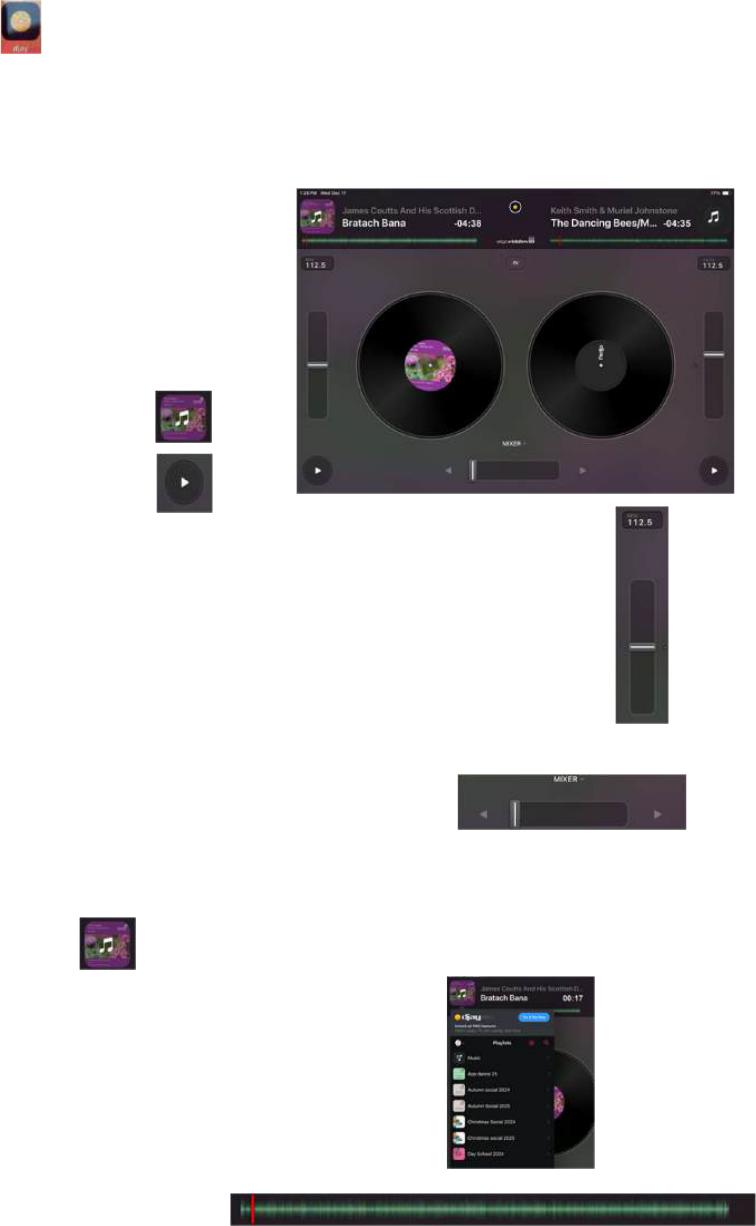
When the “djay” icon is selected the application will
open and this page should be displayed. At first
glance it appears quite complex but it is important
to understand that there are two turntables and
associated controls. Each “turntable” has the
following controls:
“Track select” button at the top
“Play button” at the bottom of
each side
Speed/Pitch control. This is a slider on each side, pull the bar up or down to
speed up or slow down. BPM is shown at the top.
The final control is the MIXER bar shown in the middle at the bottom of the page.
Again, this is a slide control, pull to the left then the left-hand turntable
automatically starts to play and will be heard through the audio system. Pulled to
the right, then the right-hand track is played.
Note: If the slider is pulled to the left and the right-hand turntable is
playing, the right-hand side track will not come through the audio
system and you won’t hear it; the same applies to the other way round.
Selecting music with “djay”
If the “select” button is pressed the following pop-up menu will be displayed.
From the list of “playlists” or “songs” select the track you want to
play.
When selected the track should automatically start. Once you are
happy that this is the track that you want to play, you can press the
“Play” button and the track will stop.
To reset the track to the beginning, pull the red line shown at the
top of the page all the way to the left.
When you next press the “play” button the
track should start from the beginning.
When the left-hand track is playing, you may then set up the right-hand track by
selecting the next track to be played, stopping it and reset to the start and when ready to
play, slide the mixer bar over to the right. The track will then automatically start and play
through the audio system